Brief redirect flips stay out of your alerts

Founder, Notify.domains · ex-GoDaddy Director of Education · founder, DomainSherpa & DNAcademy
A for-sale page or a parked page sometimes points at another site, then points back. You get a notice that a redirect started. Then a notice that it stopped. Then it starts again. The name did not change hands. The listing did not change.
This results mainly from parking companies routing traffic to a specific web page in order to measure the financial return of doing so. Useful for them. Annoying for you, as a watcher, to get too many “noisey” alerts.
Those brief redirect flips are now filtered. The filter is turned on by default. You do not have to change a setting to get the quieter alerts.
What gets skipped
A target that appears and disappears or constantly flips is skipped.
You do not get an email, a Slack message, a Telegram message, a webhook, or a bell item for that flip. The daily summary skips it too.
What still notifies you
A redirect that stays still notifies you. That includes a new destination that is still there on the next check, and a removal that is still a removal on the next check. A site that moved, a for-sale page that was replaced, or a name that started pointing somewhere new is the change you asked to hear about.
On domain name monitoring, a redirect that stays is one of the website signals on the domain. On domain distress signals, a redirect that stays can mean the owner is finished with the name. A flip that undoes itself is not that signal.
How to get every notice
If you want every redirect notice, including the ones that flip back, go to https://notify.domains/notification-settings/.
Set immediate email to All changes. That is the advanced mode. Open Advanced noise reduction. Under Website, turn Brief redirect flips off.
The toggle is on when you get there. Turning it off means the next brief flip is sent like any other change. If you stay on Actionable only, the filter stays on and this toggle stays hidden. All changes is where you can turn it off.
The screenshot below is that block. Advanced noise reduction is open, Website is the group, and Brief redirect flips is on. That is how the filter ships.
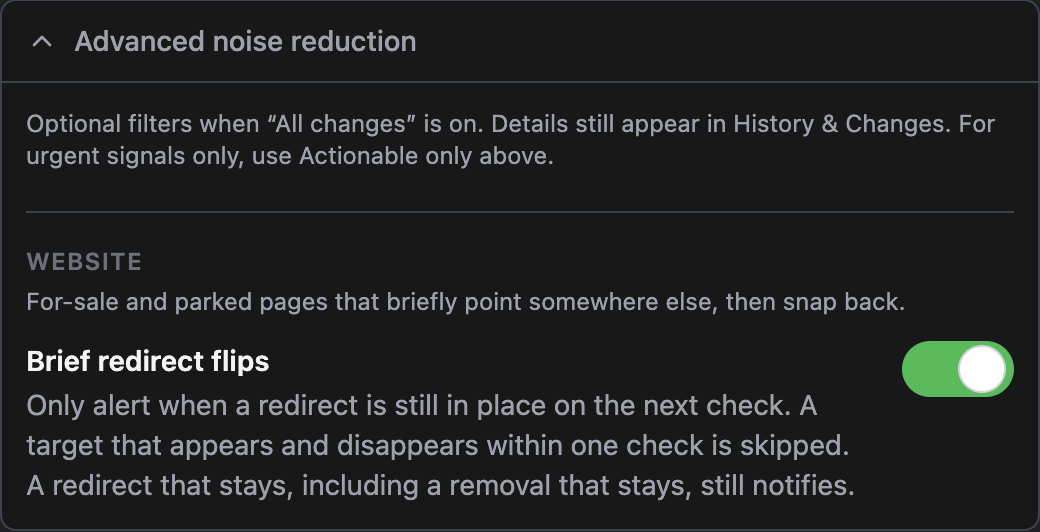
Toggle it off if you want to receive all redirection notifications.
History still keeps the row
The filter skips the notice. It does not delete the change. Open the domain and go to History & Changes. The redirect rows are there, including the ones that flipped back. The Alerts page lists them too. Use that when you want the paper trail without an email for every snap back.
A redirect that stays is still a reason to look. Those alerts keep coming, on email and on the other channels you have connected.
Be First to the Domain You Want
Get instant notifications the moment a domain name opportunity appears, with clear, step-by-step guidance to help you confidently secure it.
7-day free trial. No credit card required.