Watch Your WordPress Site’s Domain From the Dashboard

Founder, Notify.domains · ex-GoDaddy Director of Education · founder, DomainSherpa & DNAcademy
Your WordPress site has an address, like example.com. That address is a domain. If it expires, if it gets pointed somewhere else, or if the https certificate runs out, visitors cannot reach the site. WordPress can still be running. The site is still down.
The reminder to renew does not come from WordPress. It comes from the company you bought the domain from. That mail often goes to a former employee, a mailbox nobody checks, or the agency that built the site and no longer has the contract. The people who log into WordPress still get the call.
There is now a free plugin that watches that domain from the dashboard you already open. It does not need a Notify.domains account.
What it does
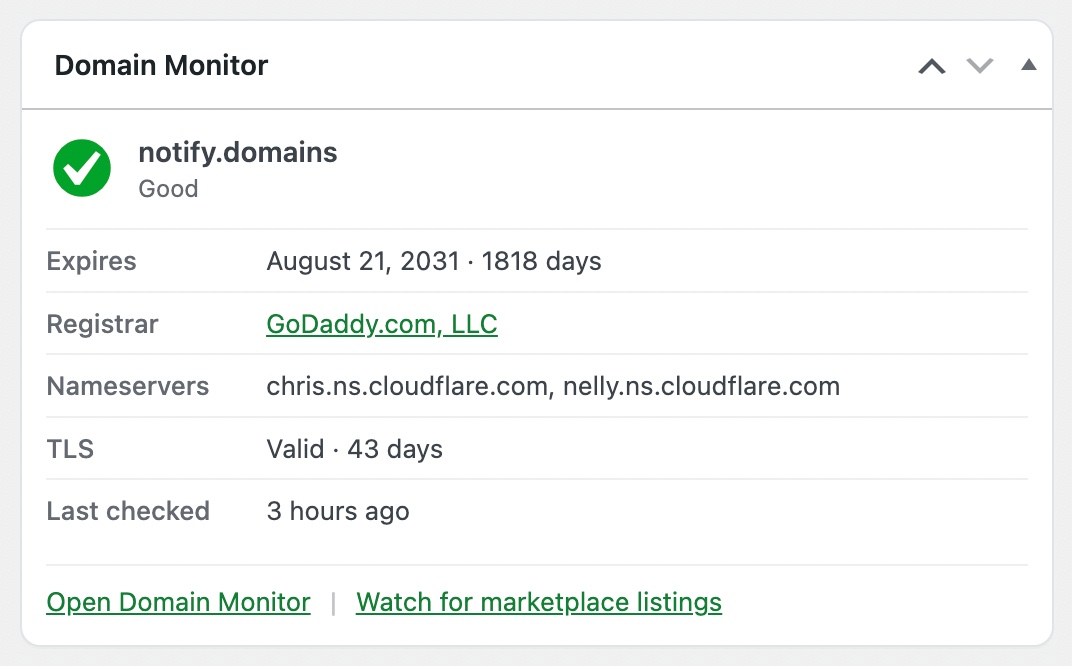
Notify.domains Domain Monitor is in the WordPress plugin directory. Install it, activate it, and a box appears on Dashboard Home. You see how many days until the domain is due to renew, the company you bought it from, where the domain is pointed, and whether the https certificate is still valid. It uses the site address in Settings → General. That is the only name it watches: this site.
When something is wrong
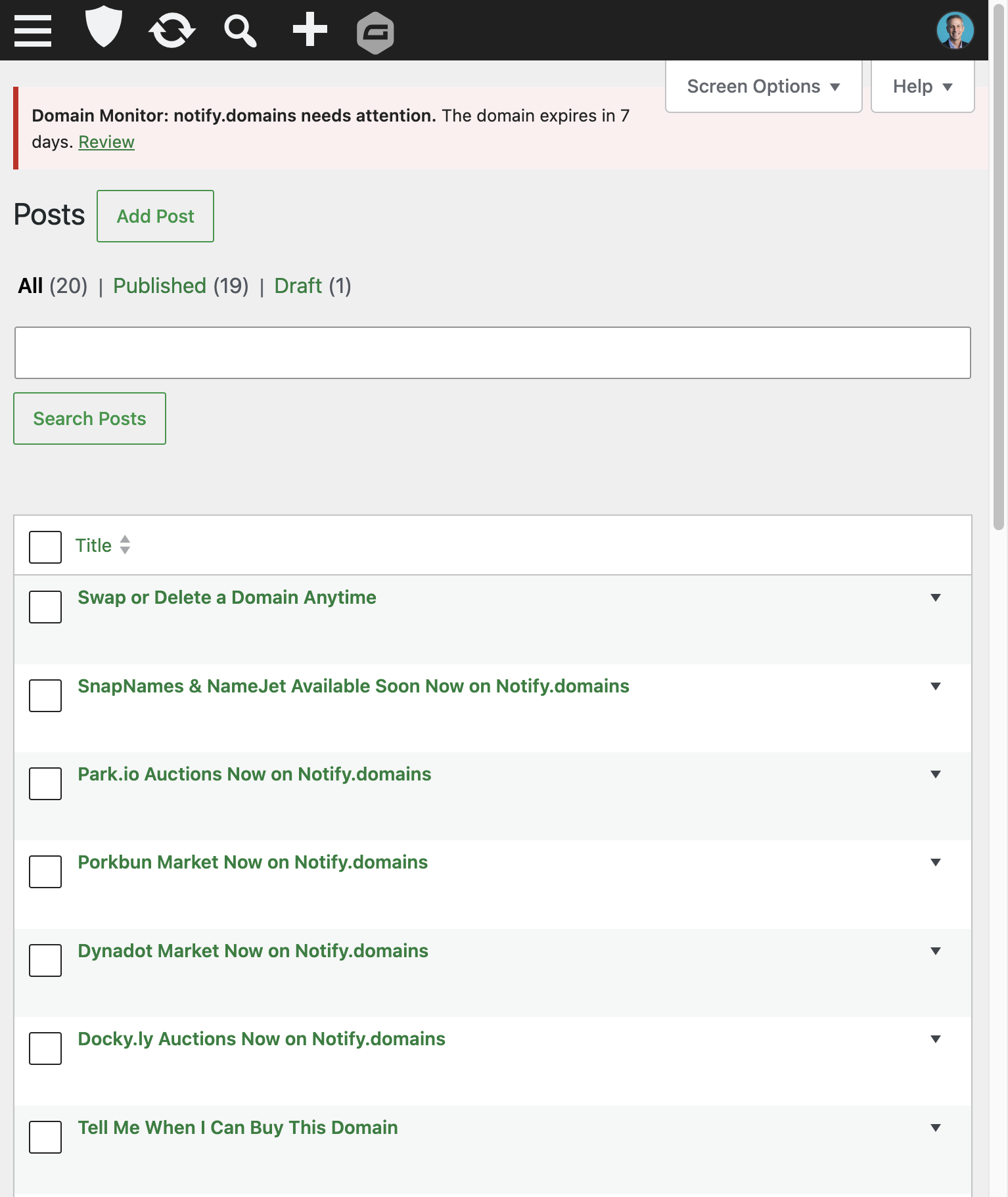
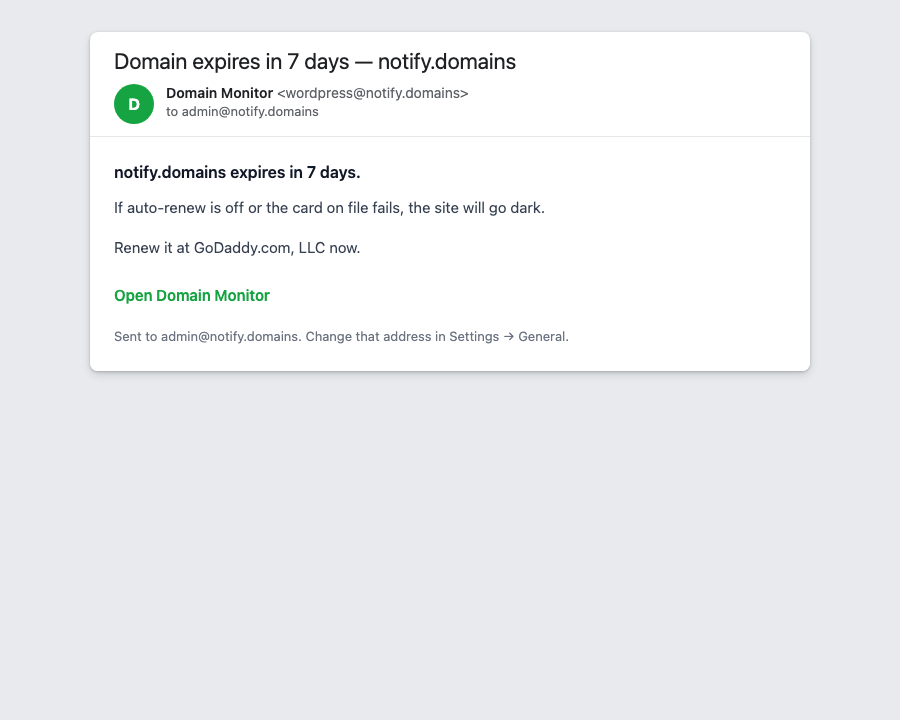
When renewal is close, when the domain is locked or set to be deleted, when where it points changes, or when the https certificate is about to expire, WordPress emails the admin address already in Settings → General. A notice also appears at the top of Posts, Pages, and the rest of the dashboard. You do not have to remember a separate domain login. The warning is in WordPress, where you already work.
How to get it
Get it from the WordPress.org listing. Or search for Notify.domains Domain Monitor under Plugins → Add Plugin. Activate it, then open Dashboard → Home. The widget is on by default.
Settings → Domain Monitor shows the same snapshot, including a preview of the alert mail, so you can confirm the admin address before a real warning goes out.
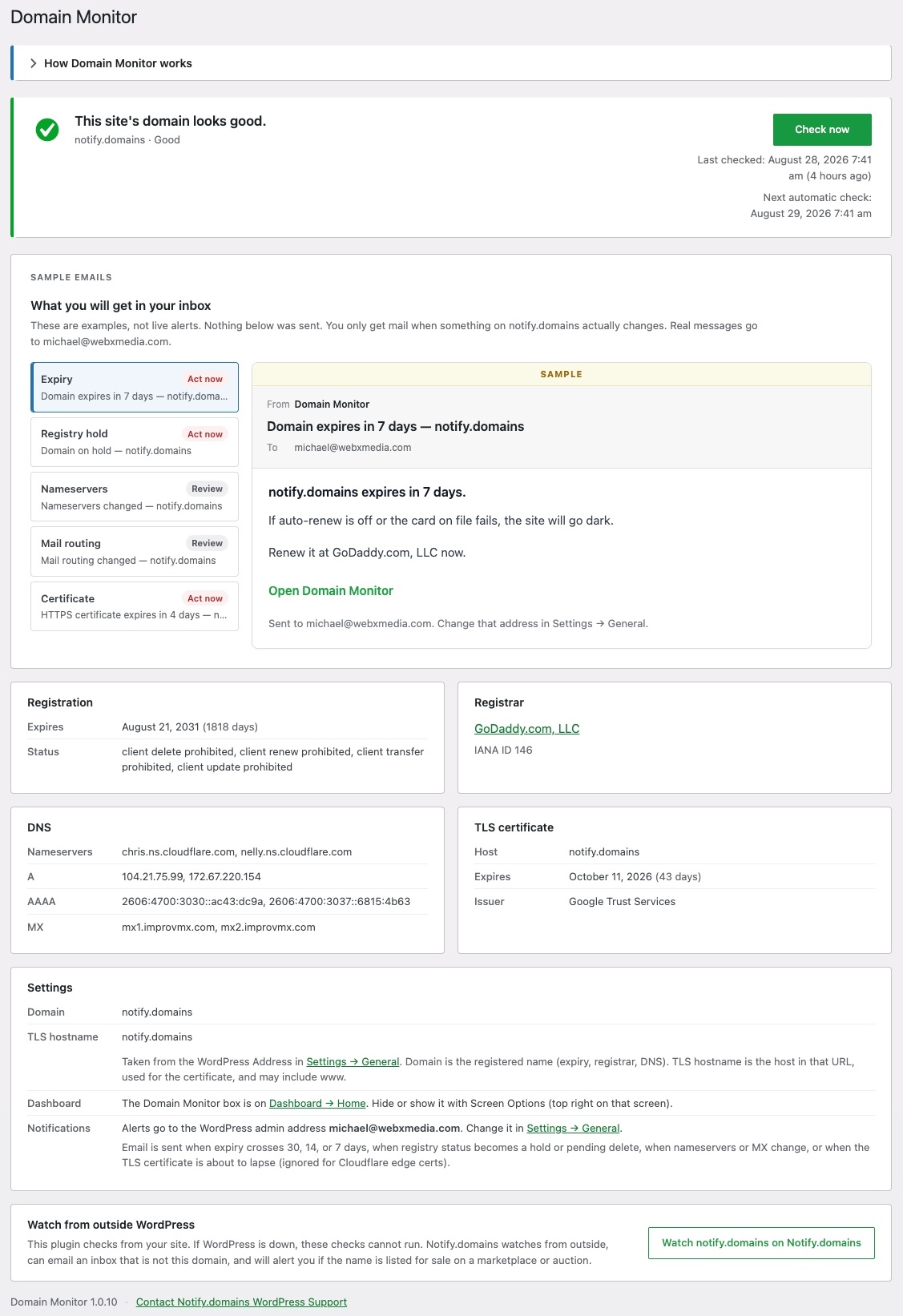
Two honest limits. The plugin cannot check the domain while WordPress is down. It does not ping the site to see if it is online. It is built for common endings such as .com, .net, and .org.
Country endings such as .de or .ca, and names that are not this site, belong on Notify.domains. Use it for expiry dates on names you do not host, or alerts on brand and competitor names. That watch keeps running even when this WordPress install cannot.
Why this matters
A WordPress outage is often a domain problem first. Auto-renew failed. The login for the domain company belonged to a contractor. The address was pointed at a parking page. The https certificate expired. WordPress itself is fine. Customers still see a dead site.
Site owners already live in the dashboard. Days until renewal on Dashboard Home, and a notice when something is critical, is the difference between catching it in the tools they open every week and finding out from a customer that the site is down. For what happens after a domain actually expires, see what happens when a domain expires.
Who this helps
Agencies that handed a site to a client and still get the late-night text. Founders whose domain-company login sits in a password manager nobody else can open. People who run several WordPress sites and cannot log into every domain company. Anyone who has been burned by reminder mail going to the wrong inbox.
If you already watch this site on Notify.domains, keep doing that. The plugin is for the people who never open our app. If you do not have a Notify.domains account, you still get the widget, the notice, and the admin email.
Questions? Use the chat on Notify.domains, or the plugin support forum on WordPress.org.
Install Domain Monitor for this site, then add any other names you care about on Notify.domains. Try domain monitoring on Notify.domains. Seven-day free trial. No credit card required.
Be First to the Domain You Want
Get instant notifications the moment a domain name opportunity appears, with clear, step-by-step guidance to help you confidently secure it.
7-day free trial. No credit card required.